Follow the preparation.
Equipment prepared
2 of 4Shared pullsheet progress
Rental & event operations
Bring events, inventory, dispatch, logistics, and repairs into one workspace, so your team can see the job and what needs to happen next.
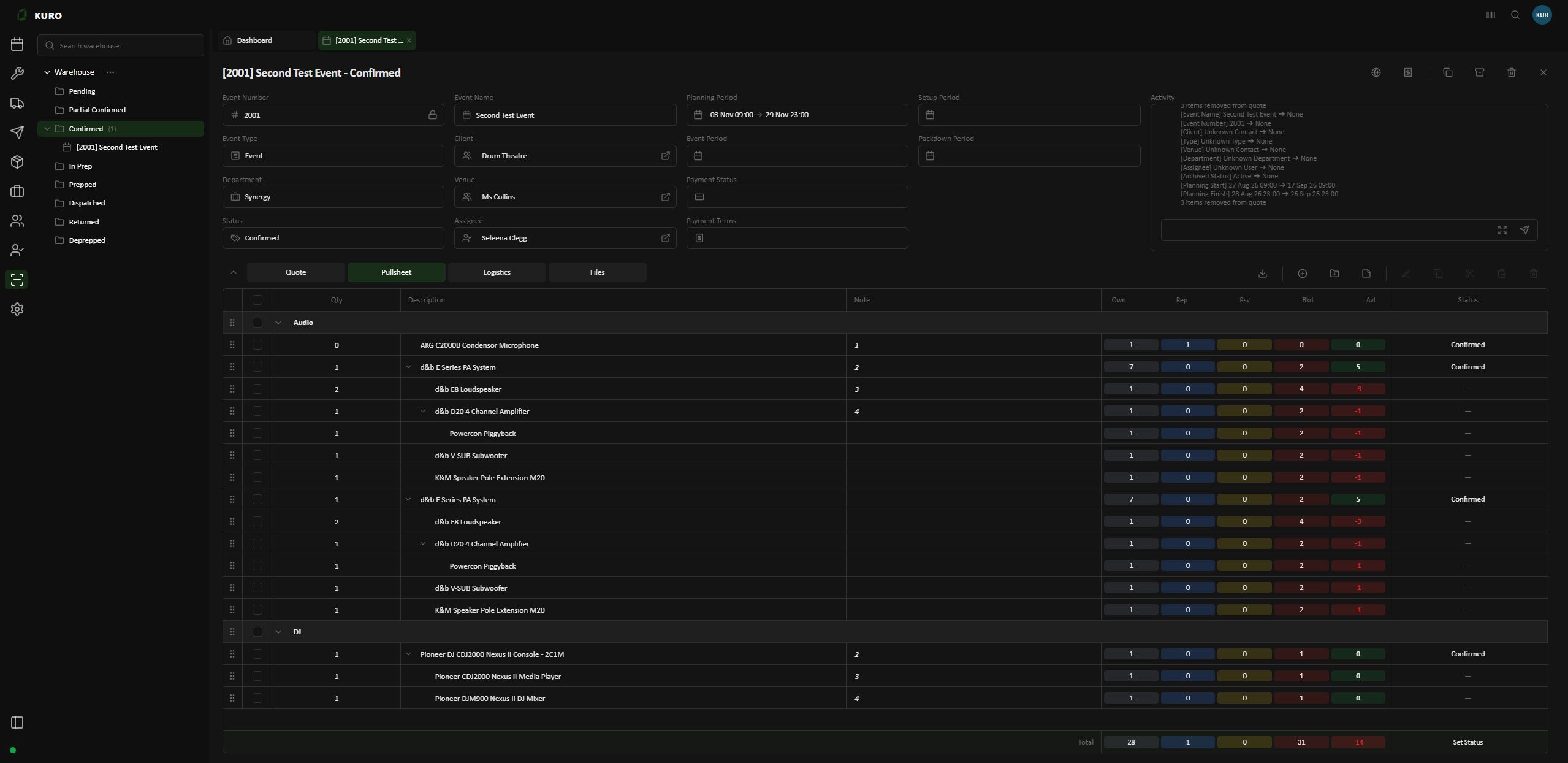
Event details, equipment requirements and availability, together in one workspace.
Open full-size screen for Start with the event.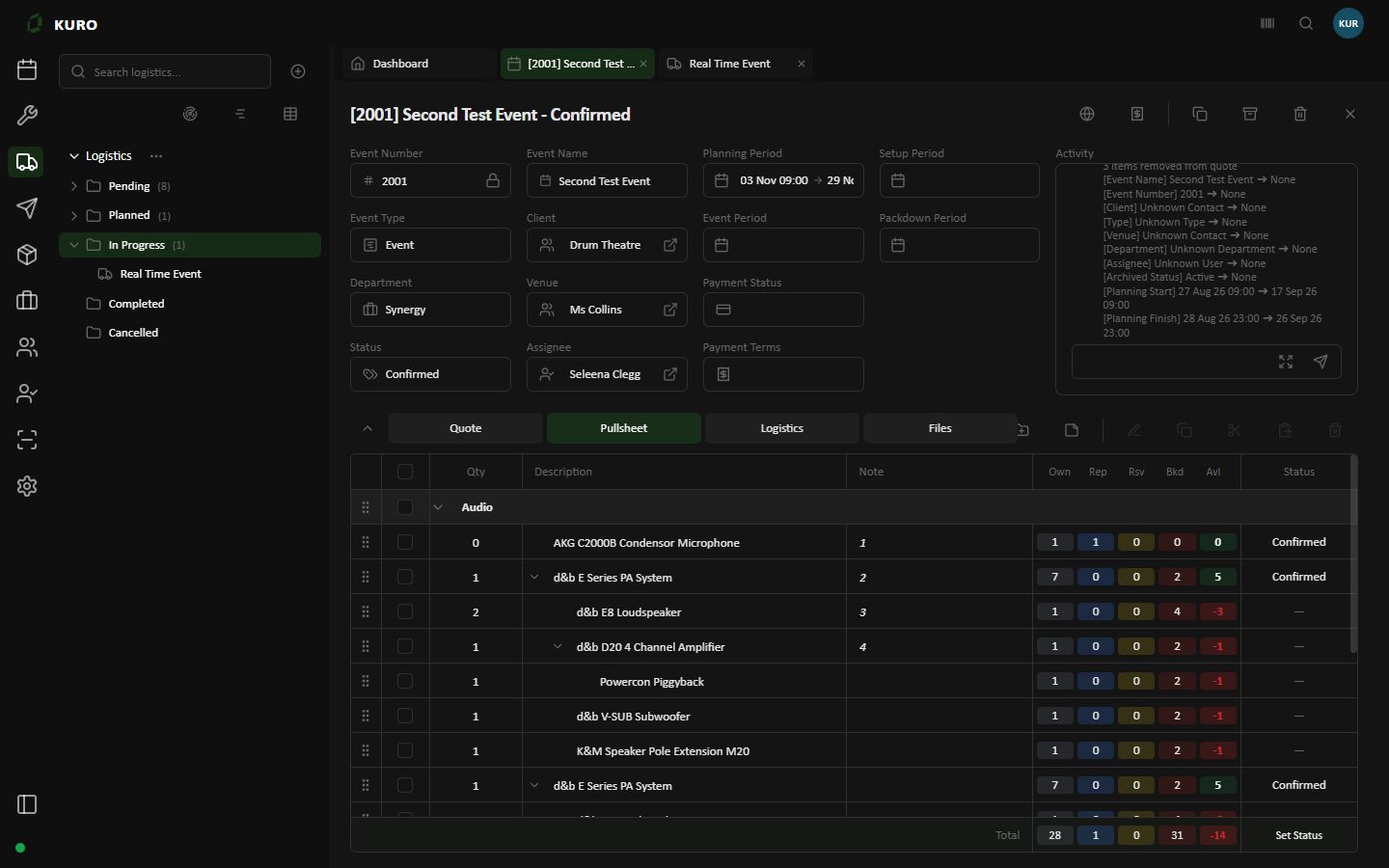
Review the equipment required for the job, with owned, repair, reserved, booked and available quantities.
Open full-size screen for See the equipment in context.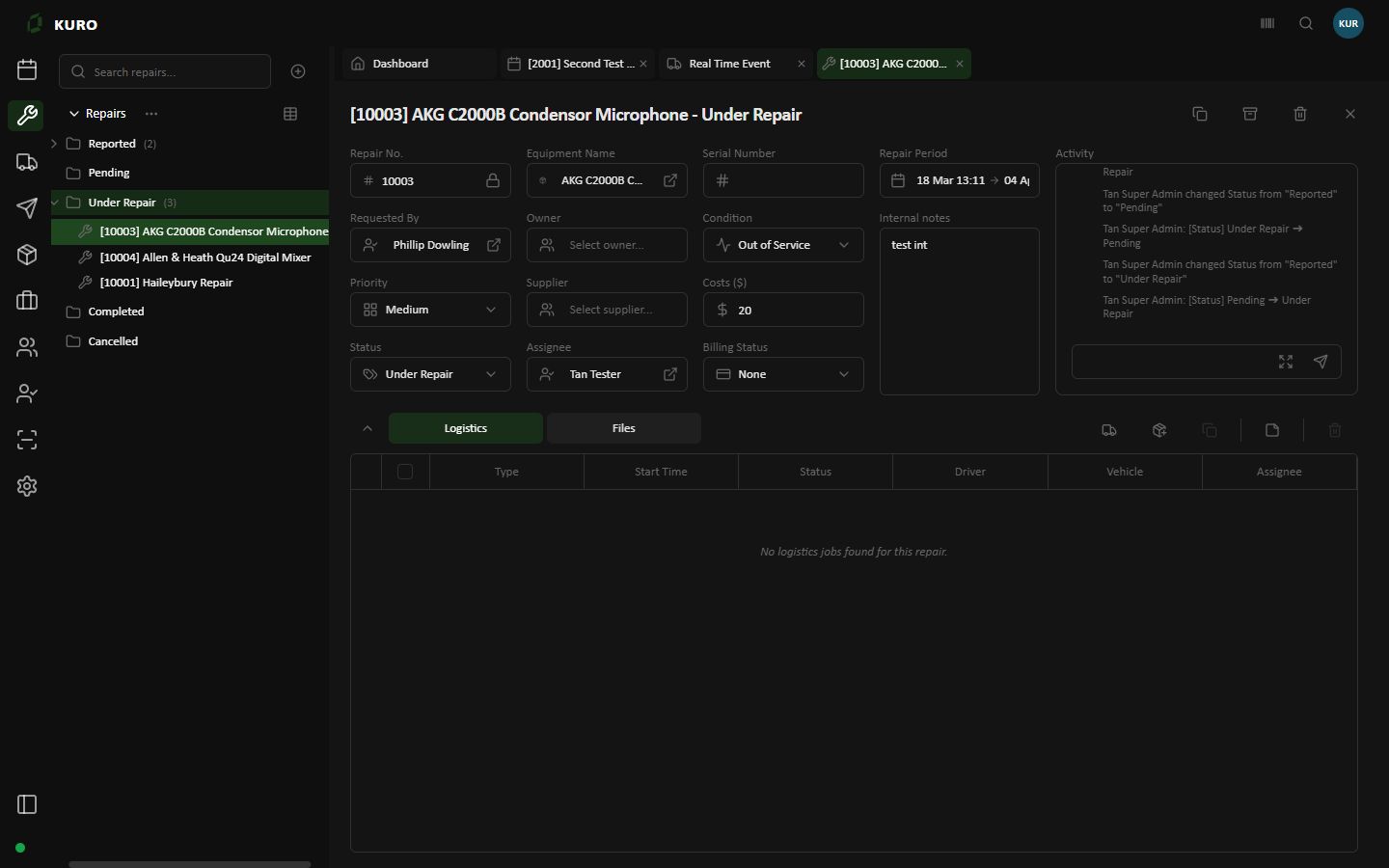
Keep equipment condition, repair status, assignees, notes and activity together in a repair ticket.
Open full-size screen for Keep repair work in view.Recorded Kuro Web screens from a fictional tenant, captured 8 October 2026. This tour shows separate views, not a live data update or a web/mobile synchronisation recording.
Built around the work.
Your team, connected in real time
Live updates across web and mobile keep warehouse progress and operations connected. Vehicle location updates from Kuro Mobile bring the road into the same picture.
Equipment prepared
2 of 4Shared pullsheet progress
Pullsheet
Preparing equipmentThe same preparation information
Job information
Review the pullsheetAwaiting a location update
Operations and warehouse teams share the pullsheet. Mobile users keep the job close at hand.
Equipment prepared
4 of 4Shared pullsheet progress
Pullsheet
Preparation updatedThe same preparation information
Job information
Updated pullsheetAwaiting a location update
A preparation update is reflected in the shared job information across web and mobile.
Equipment prepared
4 of 4Shared pullsheet progress
Pullsheet
Preparation updatedThe same preparation information
Job information
Tracking session activeLatest reported location
During an active tracking session, Kuro Mobile shares a location update for operations to view.
This is an illustrated example, not a live connection or a product screenshot. Preparation and location updates are separate actions.
01 / A connected workspace
A job touches more than one desk. Give the event, the equipment, and the work around them a shared home.
Bring event details and equipment requirements together. Give your team a clearer starting point for the work ahead.
Equipment prepared.
Next: coordinate dispatch.
From the pullsheet to dispatch and return, keep the equipment conversation grounded in the job. Bring repair work into view when something needs attention.
The equipment for the job
The next planned movement
Bring any repair work into view
Put dispatch and logistics alongside the event. Help the people coordinating the work see the job behind each movement.
02 / From plan to pack-down
Events, equipment, and movement are part of the same story. Build your workflow around the way your team works.
Bring the job details and equipment requirements into view.
Follow the pullsheet and organise the work in the warehouse.
Keep dispatch and logistics in the context of the job.
Bring returns and repair work back into the picture.
03 / Made for the people doing the work
Whether you are planning the event, preparing the gear, or coordinating its movement, the job is what connects you.
Bring event details, contacts, and equipment requirements together before the job takes shape.
PLAN & COORDINATEKeep pullsheets, preparation, and repair work in view as equipment moves through your team.
PREPARE & REVIEWConnect dispatch and logistics planning to the event and the people organising the work.
DISPATCH & DELIVERA little more clarity
Start with the way
your team works.
Kuro is built around the work of equipment rental, event, and production teams, with tools for events, inventory, warehouse operations, dispatch, logistics, and repairs.
Start with a typical job: the event details, equipment requirements, warehouse preparation, and movements. Use that workflow to discuss how Kuro could fit your team.
Kuro includes workspaces for event, inventory, dispatch, logistics, and repair activities. The right setup depends on the modules and access your team needs.
See the bigger picture
Explore how Kuro could fit your events,
equipment, and team.
